




What makes Yuvio different?
Yuvio combines desktop work tracking, Computer Agent monitoring, daily reports, tasks, projects, absences, alerts and performance insights into one complete system for office, remote and hybrid teams.
Computer Agent tracking
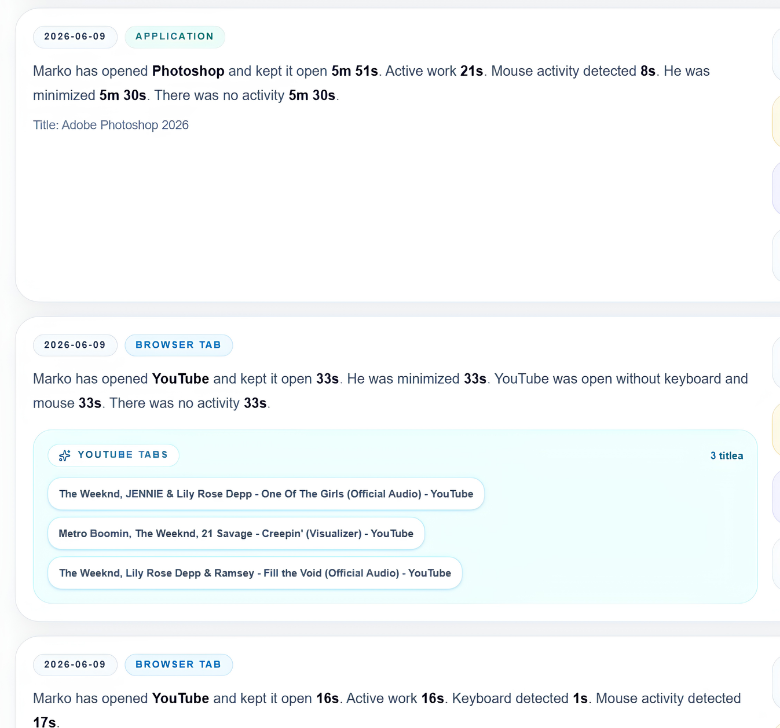
Yuvio tracks employee computer activity while the Windows desktop app is open and the user is logged in. The built-in Computer Agent shows how much time is spent in any app, website, browser tab or program, including active time, idle time, keyboard and mouse activity, breaks, sleep and lock screen periods.
Tasks and daily reports
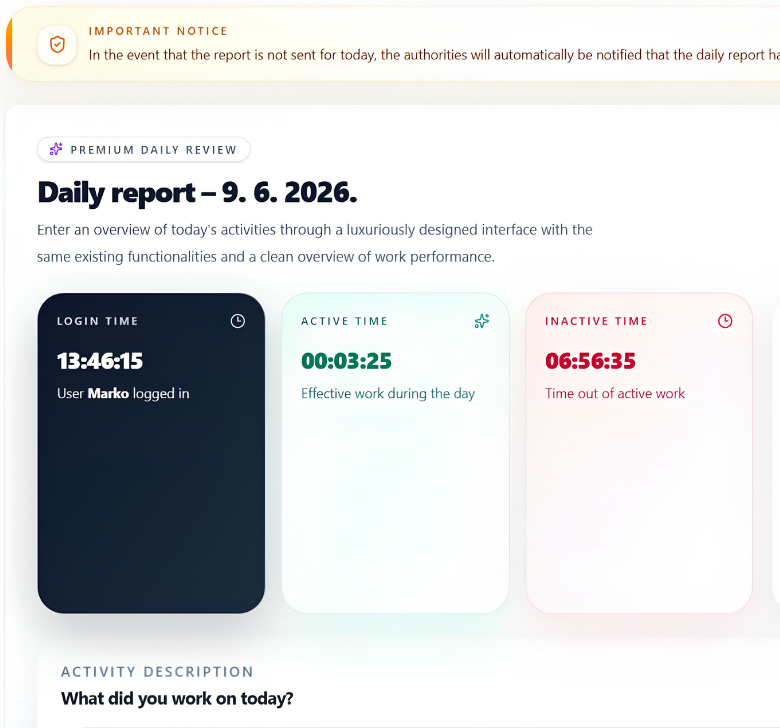
Yuvio connects assigned tasks with daily reporting, so every workday has a clear record. Admins can assign tasks with descriptions, deadlines, notes and responsibility, while employees complete tasks and submit daily reports connected with tracked time, activity, breaks and completed work.
Projects, calendar and workflow
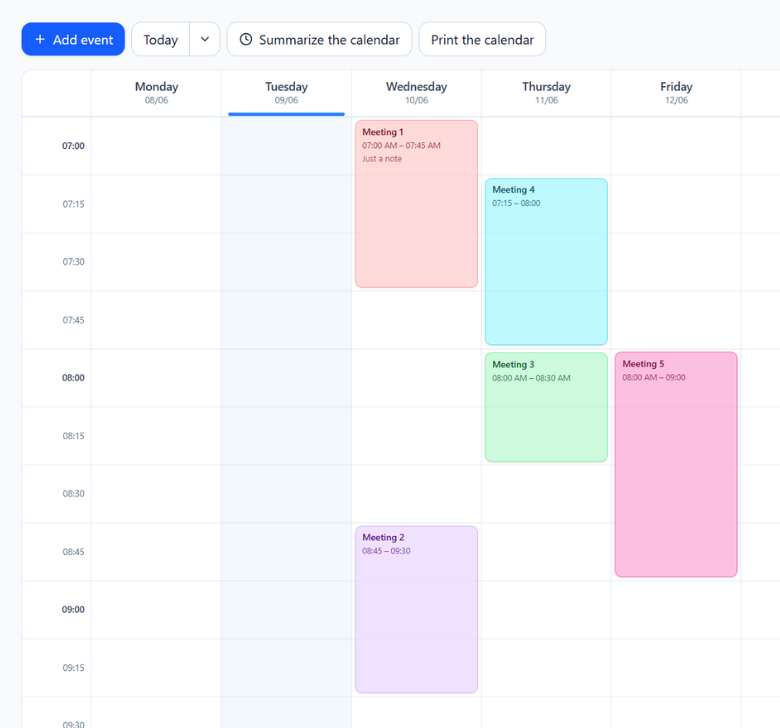
Yuvio helps teams organize more than just time tracking. Companies can manage projects, project phases, progress, calendar events, meetings, personal reminders and shared schedules, keeping daily work structured and easy to follow.
Admin access from anywhere
Admins can access the Yuvio PWA dashboard from any phone or computer. They can review employees, work time, reports, tasks, absences, alerts, warnings, notifications, Computer Agent data and monthly performance without being physically present in the office.
Everything connected in one system
Frequently asked questions:
-
Is Yuvio a web app?
Yuvio is mainly a Windows desktop system for employees. Employees use the desktop app on company computers, while admins can access the PWA dashboard from any phone or computer.
-
What does the Computer Agent track?
The Computer Agent tracks employee computer activity while Yuvio is open and the user is logged in, including apps, websites, browser tabs, active time, idle time, keyboard and mouse activity, breaks, sleep and lock screen periods.
-
Does Yuvio track employees all the time?
No. Yuvio tracks activity only while the Windows desktop app is open and the employee is logged in.
-
Can admins access Yuvio from a phone?
Yes. Admins can access the PWA dashboard from any phone or computer, wherever they are.
-
Does Yuvio include projects and calendar?
Yes. Yuvio includes projects, calendar, meetings, notes, internal chat, tasks, reports, absences, alerts, warnings and monthly performance.
Ready to bring clarity to your team?
Book a demo and see how Yuvio helps you manage work time, activity, tasks, reports, absences and performance from one complete system.